How to open account in FXPro
Introduction
Opening an FXPro account can usually be completed online, but users still need to follow several important steps before live trading is available.
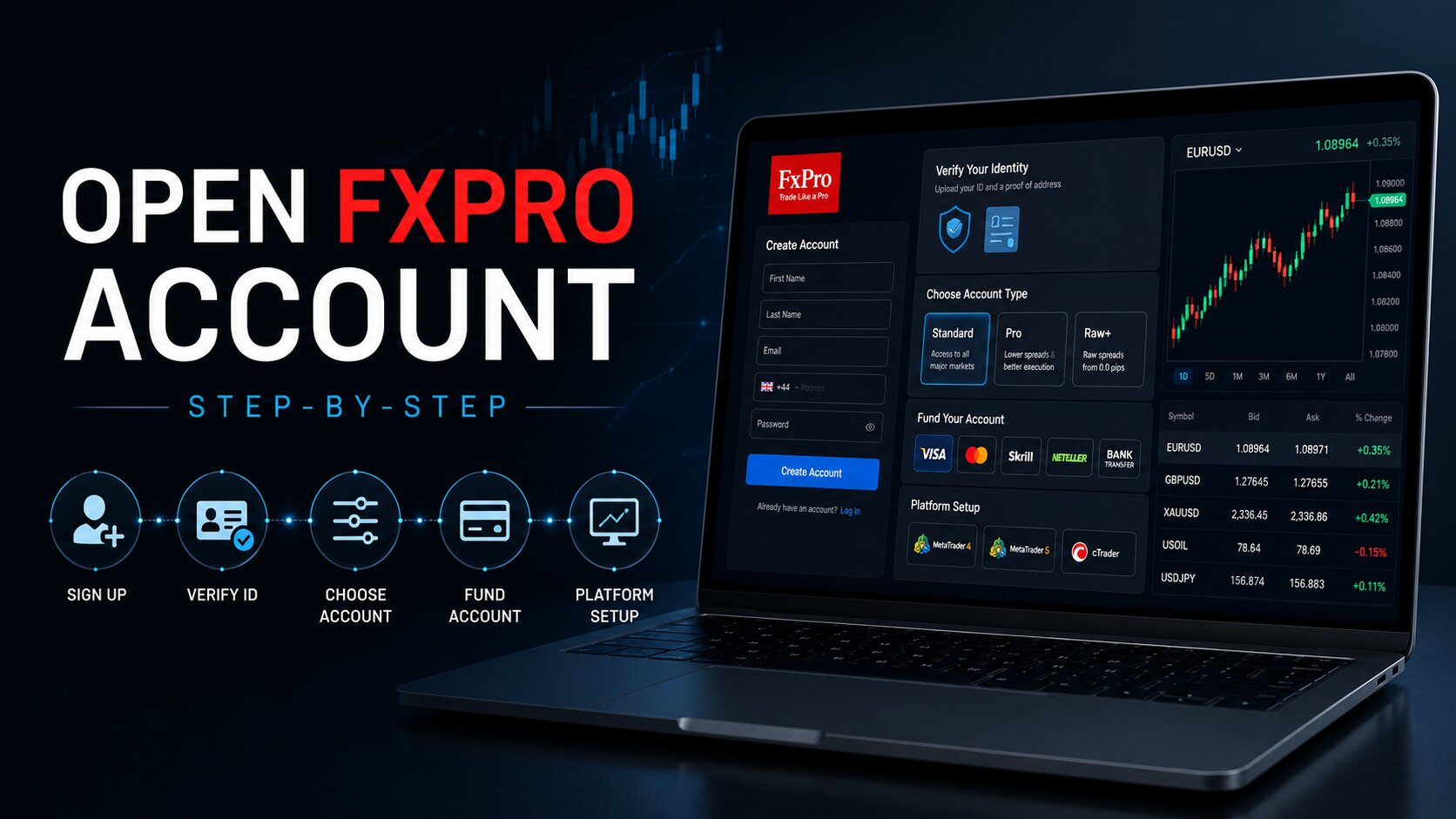
The process includes registration, personal information, financial questions, identity verification, account type selection, funding, and platform setup.
This guide reviews the FXPro account opening process step by step and highlights what users should check before depositing funds.
How to Open an FXPro Account Step by Step
1. Visit the Official FXPro Website
Go to the official FXPro website.
Make sure you are using the correct official domain and not a fake or copycat website.
On the homepage, click Open Trading Account to begin the registration process.
2. Create Your Account
Complete the first registration form with your basic details.
FXPro may ask for:
Country of residence
Email address
Secure password
After entering the information, continue to the next step.
Use an email address you can access easily, because you may need it for verification, account updates, and security alerts.
3. Provide Personal Information
Next, FXPro will ask for personal details.
This may include:
Full legal name
Date of birth
Phone number
Residential address
Nationality
Make sure the information matches your identity documents.
Incorrect or incomplete details may delay the verification process.
4. Complete the Financial Questionnaire
FXPro may ask questions about your financial background and trading experience.
This can include:
Employment status
Estimated income
Source of funds
Trading experience
Knowledge of leveraged products
These questions are part of the account approval process.
They help the broker assess whether products such as forex and CFDs are appropriate for the user.
5. Verify Your Identity
Before using a live account fully, users usually need to complete KYC verification.
KYC means Know Your Customer. It is the process brokers use to confirm a client’s identity and reduce fraud risk.
You may need to upload:
Passport
National ID card
Driver’s license
Utility bill
Bank statement
Government document showing your address
Documents should be clear, valid, and uploaded through the official FXPro account area.
The name and address on the documents should match the details used during registration.
Verification time can vary depending on document quality, region, and account review requirements.
6. Choose Your FXPro Account Type
During registration, users may need to choose an account type.
Common FXPro account options may include:
Standard Account
Raw+ Account
Elite Account
cTrader Account
Demo Account
The right account type depends on trading style, platform preference, spread structure, commission model, and experience level.
Beginners may prefer to start with a demo account before trading with real money.
Users should also compare spreads, commissions, minimum deposits, and platform availability before choosing an account.
7. Select a Trading Platform
FXPro supports several trading platforms.
Common options include:
MetaTrader 4: commonly used for forex trading
MetaTrader 5: offers more tools and additional market features
cTrader: often used by traders who want ECN-style tools
FXPro mobile apps: useful for mobile access and account management
Each platform has different tools, charting features, order types, and interface styles.
Users should choose the platform that matches their trading experience and strategy.
8. Fund Your FXPro Account
After account approval, users can deposit funds.
Available payment methods may include:
Bank transfer
Credit or debit card
E-wallets such as Skrill or Neteller
Funding options, processing times, minimum deposits, and fees may vary by region.
Before depositing, users should check the payment methods available inside their FXPro account area.
It is also better to start with a smaller amount first and test the deposit and withdrawal process.
9. Start With a Demo or Small Live Trade
After setup is complete, users can access their selected platform and begin trading.
Beginners should consider practicing with a demo account first.
A demo account can help users understand charts, order types, margin, leverage, and platform tools without risking real funds.
If using a live account, starting small can help reduce mistakes while learning how the platform works.
Important Checks Before Opening an FXPro Account
Before completing registration, users should check a few important points.
FXPro may not be available in every country. Regional rules can affect account access, leverage, products, and protections.
Users should also check the exact broker entity serving their country.
Trading costs can vary by account type and platform, so users should review spreads, commissions, swaps, and withdrawal rules before funding.
Forex and CFD trading involve risk, especially when leverage is used. Leverage can increase both gains and losses.
Conclusion
Opening an FXPro account involves several steps: registration, personal information, financial questions, KYC verification, account type selection, platform setup, and funding.
The process is usually straightforward, but users should check regional availability, account conditions, trading costs, and risk rules before depositing funds. Beginners should start with a demo account or a small live deposit and learn how the platform works before trading larger amounts.
This guide is for informational purposes only and is not financial or investment advice.