BingX Fees Explained 2026: Trading, Copy Trading, P2P, Futures & Withdrawal Costs
Introduction
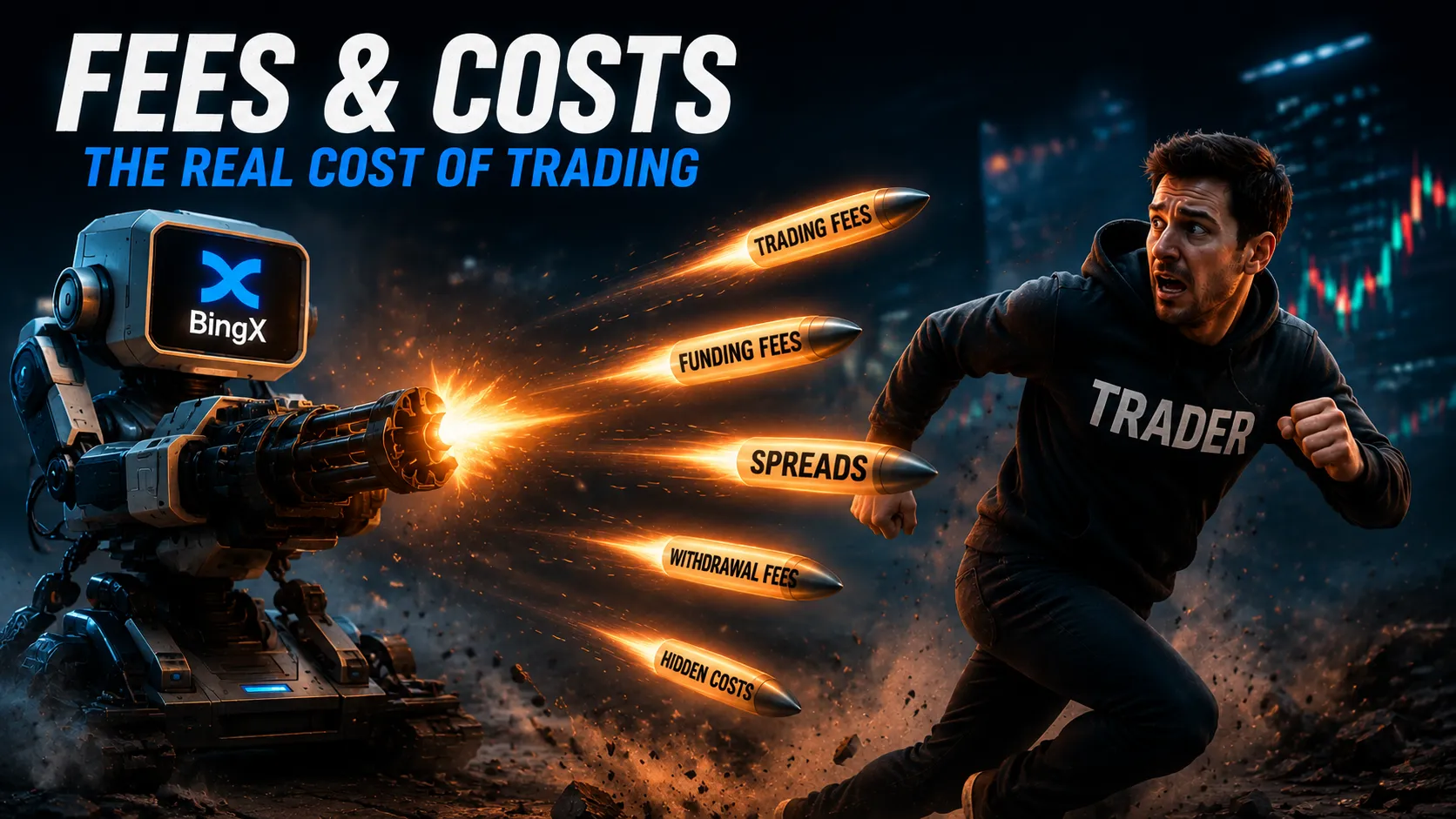
BingX fees do not come from a single source. A user may pay a spot trading fee, a futures trading fee, a funding payment, a copy trading profit share, a withdrawal fee, or a higher price through a P2P seller or payment provider.
That is why a platform can advertise low fees while the total cost of a transaction is still higher than expected.
This guide reviews BingX trading fees, futures costs, copy trading fees, P2P pricing, withdrawal charges, payment provider spreads, VIP discounts, and BingX bonus terms. It is designed to help users understand the total cost before they trade, buy crypto, or move funds.
What Affects Your Total Cost on BingX?
The real cost of using BingX can include:
Spot trading fees
Futures maker and taker fees
Funding payments on perpetual futures
Copy trading profit sharing
Slippage on copied or market orders
P2P price differences
Card-payment or third-party provider fees
Currency-conversion costs
Withdrawal network fees
Bank-transfer fees
Bonus or promotion requirements
The important point is that not every cost appears as a direct “fee.”
For example, BingX P2P may show zero platform fees, but a seller can still quote a price above the broader market price. A card provider may also show a low processing fee while offering a less favourable exchange rate.
Always compare the total amount you pay with the final amount of crypto you receive.
BingX Spot Trading Fees
Spot trading fees apply when you buy or sell crypto in the BingX spot market. A spot trade can involve BTC, ETH, SOL, USDT, or another supported crypto pair. You exchange one asset for another at the market price or through a limit order.
At the time of writing, BingX commonly lists a standard spot maker fee and taker fee of 0.1% for major pairs such as BTC/USDT and ETH/USDT. However, the exact BingX fee can vary by trading pair, account level, VIP status, promotion, and current platform policy.
That means users should not assume every pair has the same rate.
Maker vs Taker Fees on BingX
To understand BingX trading fees, you need to understand the difference between a maker and a taker.
Maker Fee
A maker order adds liquidity to the order book.
For example, you may place a limit buy order below the current price and wait for another trader to match it. Because your order waits in the market, it can be treated as a maker order.
Maker fees are often lower than taker fees, but this depends on the current BingX fee schedule and your account level.
Taker Fee
A taker order removes liquidity from the order book.
For example, when you place a market order, it is usually filled immediately using existing orders. This makes it a taker order.
Taker fees can be higher because the trade executes instantly.
Before placing an order, check whether you are using:
A market order
A limit order
A stop order
A bot strategy
A copy trading feature
A special promotion pair
The order type can affect how your trade is executed and what costs apply.
How to Calculate Spot Trading Fees
The basic formula is:
Trading Fee = Order Value × Fee Rate
For example, if you buy $1,000 worth of crypto and the fee rate is 0.1%, the trading fee would be approximately $1.
However, the final cost can still differ because of:
Market-price movement
Spread
Slippage
Price changes during execution
Different fee rates for certain pairs
VIP discounts
Promotional zero-fee offers
A visible fee is only one part of your total trading cost.
BingX Futures Fees
BingX futures fees apply when users trade perpetual or other futures contracts. Futures are different from spot trading because users are trading contracts based on price movement rather than directly buying and holding the underlying asset.
At the time of writing, BingX’s standard perpetual futures fee schedule commonly lists:
Order Type | Typical Fee Rate |
|---|---|
Maker | 0.02% |
Taker | 0.05% |
These rates may differ by contract, account level, VIP tier, region, promotion, or product type. Always check the live fee schedule before trading.
Futures users should also understand that the direct trading fee is not the only cost.
Other costs can include:
Funding payments
Slippage
Liquidation losses
Guaranteed-price fees, where applicable
Copy trading profit sharing
Withdrawal fees after moving funds off the platform
BingX Futures Funding Fees Explained
Funding is a recurring payment used in perpetual futures markets. It is not the same as a trading fee.
BingX states that funding payments are exchanged between long and short traders rather than paid directly to the exchange. If the funding rate is positive, long-position holders pay short-position holders. If the funding rate is negative, short-position holders pay long-position holders.
At the time of writing, BingX settles perpetual-futures funding three times a day. This matters because a user can pay funding even if they do not open or close a trade at that moment. The payment applies to eligible open positions during the funding settlement period.
For users holding futures positions for several days, funding can become a meaningful part of total profit or loss.
Before opening a long-term perpetual futures position, check:
Current funding rate
Funding countdown
Position size
Leverage level
Margin mode
Expected holding period
Liquidation price
A low maker or taker fee does not make a futures trade cheap if funding and leverage risk are high.
BingX Copy Trading Fees
BingX copy trading can involve more than standard trading fees.
When you copy a trader, your total costs may include:
Normal spot or futures trading fees
Profit-sharing fees
Funding payments for futures copy trading
Slippage
Different execution prices
Withdrawal fees if you move funds later
The exact BingX copy trading fees depend on whether you use spot copy trading or futures copy trading.
BingX Spot Copy Trading Fees
Spot copy trading generally uses a simpler cost structure. At the time of writing, BingX describes spot copy trading as using a fixed 10% profit-sharing fee on eligible net gains. The profit share is generally settled weekly.
This means the fee is not usually charged just because you start copying a trader. Instead, it applies when your copied strategy generates eligible net profit during the relevant settlement period.
However, users should still consider normal trading costs and price movement. A copied spot trade can produce a different result from the lead trader because of execution timing, account settings, partial fills, and market conditions.
BingX Futures Copy Trading Fees
Futures copy trading can have a more flexible profit-sharing structure. BingX currently describes futures copy trading profit sharing as ranging from 10% to 32%, depending on the trader’s level and the copy-trading arrangement. Profit sharing is generally calculated weekly and applies only to eligible net gains.
The lead trader’s profile should show the relevant profit-sharing percentage before you start copying.
Do not judge copy trading only by ROI.
A trader may show strong recent performance while still carrying:
Large drawdowns
Unrealized losses
High leverage
A concentrated position
High funding costs
Risky averaging strategies
Fast trading activity that is difficult to copy accurately
A copier’s result can also differ from the trader’s result because BingX uses the copier’s actual fee rate, execution settings, and account conditions.
BingX P2P Fees
BingX P2P is a peer-to-peer marketplace where users buy or sell crypto with other users. BingX has promoted P2P trading with zero direct platform transaction fees for standard users. However, “zero fee” does not always mean zero cost. The main cost in P2P is often the quoted price.
For example, a seller may offer USDT at a price above the broader market rate. Another seller may offer a lower price but have stricter terms, lower limits, or a slower completion history.
Before opening a BingX P2P order, compare:
The quoted crypto price
The market price
Seller completion rate
Number of completed orders
Payment method
Minimum and maximum limits
Order time limit
Seller instructions
Final amount of crypto received
The cheapest P2P offer is not always the best option. A seller with a reliable record and clear terms may be worth a small price difference.
BingX Card Payment and Payment-Provider Costs
When buying crypto with a debit card, credit card, or third-party payment provider, the total cost can include more than the visible BingX fee.
A payment provider may charge:
Processing fees
Currency-conversion fees
Card-network charges
Bank charges
Provider spread
Service fees
Local payment taxes or costs
The spread is especially important.
A spread is the difference between the market price and the price you actually receive. A provider can advertise a low fee but still offer a less favourable exchange rate.
For this reason, do not compare card purchases only by looking at the fee percentage.
Compare:
The fiat amount you will pay.
The final crypto amount you will receive.
The quoted exchange rate.
The payment-provider fee.
Any bank or currency-conversion charge.
The withdrawal restriction that may apply after purchase.
BingX Deposit Fees
BingX states that it does not charge a direct platform fee for crypto deposits.
However, this does not mean your transfer is always free.
The wallet or exchange sending crypto to BingX may charge:
A blockchain network fee
A withdrawal fee
A service fee
A conversion fee
A minimum transfer cost
You should also check the minimum deposit amount.
If you send less than the required minimum, the deposit may not be credited automatically. In some situations, it may not be recoverable without a support request.
Before depositing, confirm the asset, network, address, memo or tag, and minimum amount.
BingX Withdrawal Fees
BingX withdrawal fees apply when you send crypto from BingX to an external wallet or another exchange.
The fee can depend on:
The asset being withdrawn
The selected blockchain network
Network congestion
Wallet-maintenance status
Current platform policy
The minimum withdrawal amount
For example, USDT withdrawal fees can differ depending on whether you choose TRC20, ERC20, BEP20, Arbitrum, Polygon, Solana, or another supported network.
A cheaper network is not always the right choice. The receiving wallet or exchange must support the same asset and exact blockchain network.
Before confirming a withdrawal, check:
The live BingX withdrawal fee
Minimum withdrawal amount
Maximum withdrawal limit
Selected network
Destination platform support
Memo or tag requirement
Final amount the recipient will receive
Do not rely on old screenshots or outdated review websites for BingX withdrawal fees. Check the withdrawal page inside your account before every transfer.
Bank Transfer and Fiat Withdrawal Fees
Fiat deposit and withdrawal fees can vary by currency, payment provider, and region.
For example, some bank-transfer methods may show zero deposit fees while charging a fixed or percentage-based withdrawal cost. Other methods may include intermediary-bank charges or currency-conversion costs.
Before using a bank transfer, confirm:
Deposit fee
Withdrawal fee
Minimum amount
Maximum amount
Processing time
Supported country
Required reference code
Whether your bank account name matches your BingX KYC name
A fee-free deposit does not guarantee a fee-free withdrawal.
BingX Bot Fees
BingX trading bots can automate trades, but they do not remove trading costs.
For example, BingX states that Spot Grid and Spot Infinity Grid use the same fee structure as regular spot trading.
This means each buy and sell order created by a bot can incur a spot trading fee.
A grid bot may place many small trades. Even when each fee looks small, the total cost can add up over time.
Before starting a bot, check:
Bot type
Number of expected orders
Spot or futures fee structure
Grid range
Price volatility
Asset liquidity
Funding costs for futures bots
Minimum investment
Stop-loss settings
Estimated profit after fees
A bot can be profitable before fees but less attractive after repeated trading costs are included.
BingX VIP Discounts
BingX uses VIP and volume-based fee structures that can reduce trading fees for eligible users.
The exact fee discount depends on factors such as:
30-day trading volume
Account assets
VIP level
Product type
Current promotion
Spot or futures market
Special eligibility requirements
BingX has updated its VIP structure and fee rules over time. Do not assume that a discount shown in an old article still applies.
Before trading based on a VIP discount, check:
Your current VIP level.
The required trading volume or asset threshold.
The relevant spot or futures fee rate.
Whether the rate applies to the pair you want to trade.
Whether the discount is permanent or promotional.
Whether the activity needed to reach the next tier is worth the additional trading cost.
Trying to trade extra volume only to reach a lower fee tier can be counterproductive if the extra trades are not part of your normal strategy.
BingX Bonus, Trial Fund, and Promotion Costs
BingX may offer bonuses, trial funds, vouchers, VIP passes, referral rewards, trading competitions, or time-limited promotions.
These offers can be useful, but they should not be the main reason to use an exchange.
BingX Trial Fund is designed for eligible futures activity. It can be used as trading capital or, under certain conditions, to offset some losses, funding fees, guaranteed-price fees, and other listed charges.
However, the Trial Fund principal itself cannot usually be withdrawn or transferred out. BingX states that eligible net profits generated through trial-fund trading may be withdrawable.
Trial Fund vouchers may also have:
KYC requirements
Deposit requirements
Trading-volume requirements
Minimum balance conditions
Redemption deadlines
Expiry dates
Product-specific restrictions
Offset-ratio limits
Do not deposit more money than you planned just to unlock a BingX bonus.
Before claiming a promotion, check:
Who is eligible
Whether your country is eligible
Whether KYC is required
The voucher expiry date
Redemption conditions
Trading-volume conditions
Deposit conditions
Whether the principal is withdrawable
Whether only profits are withdrawable
Whether the promotion applies to spot, futures, copy trading, or another product
How to Check Current BingX Fees Before Trading
Use this checklist before placing an order or moving funds:
Open the BingX live fee schedule.
Check your spot or futures fee rate.
Confirm whether you are a maker or taker.
Review the current funding rate for perpetual futures.
Check copy-trading profit sharing before following a trader.
Compare P2P seller prices with the market price.
Review card or payment-provider quotes.
Check the exact withdrawal fee and network.
Confirm the final amount you will receive.
Review active promotion terms before claiming a bonus.
Taking a few minutes to check these details can prevent expensive mistakes.
Conclusion
BingX fees are not limited to maker and taker rates. The total cost can include spot or futures fees, funding, copy trading profit sharing, P2P price differences, payment-provider spread, network withdrawal charges, and promotion requirements.
For basic spot trading, the visible fee may look simple. For futures, bots, copy trading, or fiat purchases, the total cost can become more complex.
The best approach is to check the live BingX fee schedule, calculate the full cost before confirming, and avoid making a decision based only on a “zero fee” or “bonus” message.
This article is for educational purposes only. It is not financial advice and is not a recommendation to trade, use leverage, copy traders, or hold funds on BingX.