Pionex KYC Guide: Verification Levels, Documents, Limits & Problems
Introduction
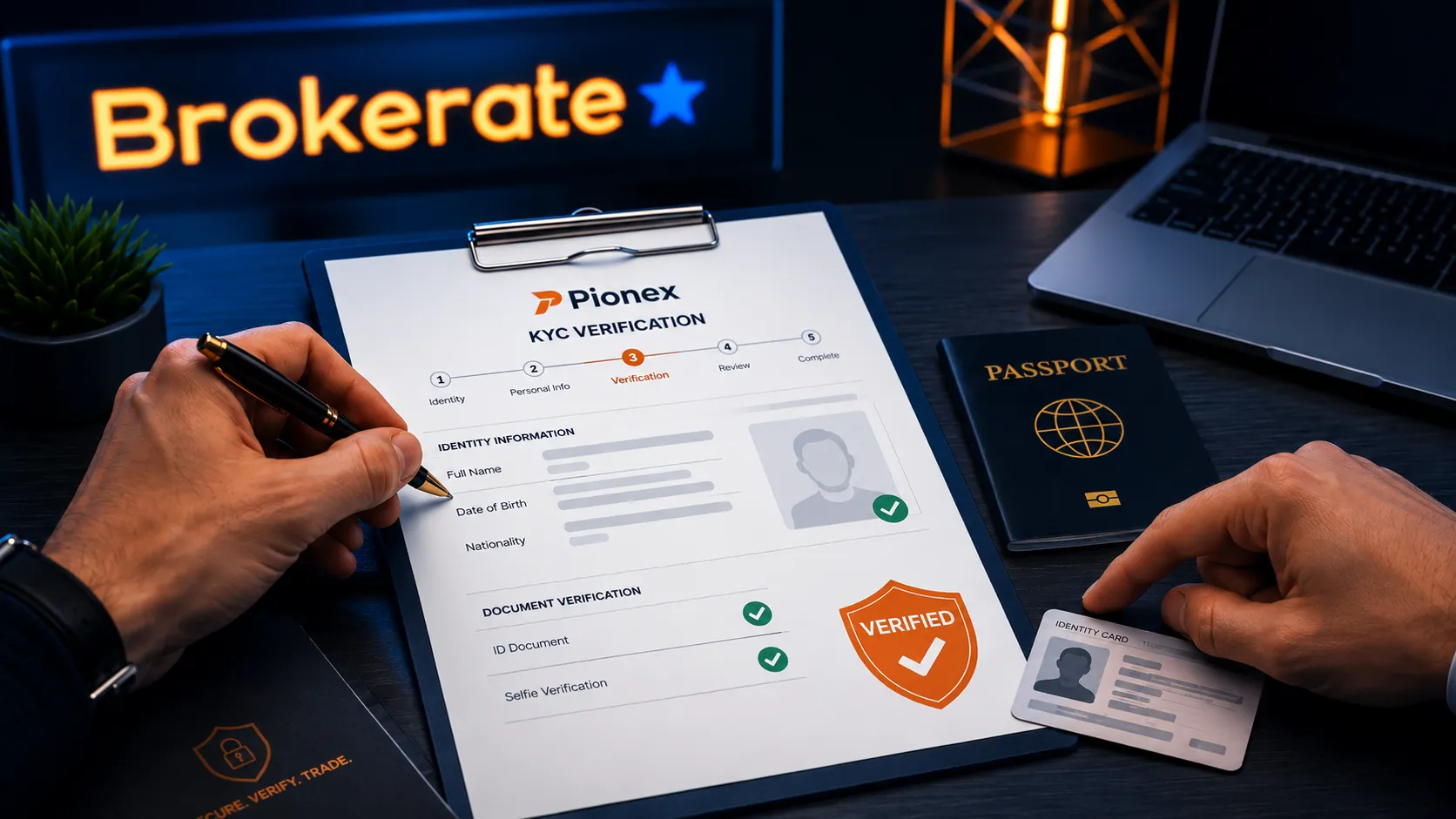
Pionex KYC is the identity-verification process users complete before accessing or expanding certain services on the exchange.
KYC stands for Know Your Customer. It is used by centralized exchanges to confirm who is using an account, apply withdrawal limits, reduce fraud risk, meet anti-money-laundering requirements, and determine whether a user is eligible for certain features.
For many users, the key questions are simple:
Does Pionex require KYC?
What documents do I need?
What is the difference between Level 1 and Level 2?
Why did my verification fail?
Can KYC affect deposits, withdrawals, or account access?
This guide explains the Pionex verification process, the documents that may be required, how account limits work, and what to do if your application is rejected or delayed.
Important: Pionex review rules, supported regions, KYC requirements, and account limits can change. Always check the verification page inside your account before depositing significant funds.
Pionex KYC at a Glance
Question | Short answer |
|---|---|
Does Pionex require KYC? | Pionex requires users to complete verification procedures requested by the platform before using services. |
How many KYC levels are there? | Pionex currently uses Level 1 and Level 2 verification. |
What does Level 1 require? | Your country or region of residence and full legal name. |
What does Level 2 require? | A government-issued ID and a liveness or facial-verification check. |
Does Level 2 increase limits? | Yes. Pionex states that Level 2 can increase deposit and withdrawal limits. |
Can limits change? | Yes. Your live limits are shown in your account and may depend on KYC level, location, risk checks, and additional reviews. |
Can users from all countries verify? | No. Pionex has unsupported regions for phone-number services and KYC verification. |
Can I use another person’s documents? | No. KYC information should belong to the actual account holder. |
Does Pionex Require KYC?
Pionex’s terms state that users must complete any verification procedures requested before they are allowed to use its services.
This does not mean every user will be asked for the same information at the same time. The requirements can depend on:
Your country or region of residence.
The services you want to use.
Your intended transaction size.
Your account activity.
Whether you want higher deposit or withdrawal limits.
Whether Pionex or a payment partner needs additional compliance information.
For example, fiat-related services may require identity verification before you can buy or sell crypto through a card, bank, OTC platform, or third-party payment provider.
The practical answer is simple:
Complete KYC before you deposit a meaningful amount, launch a bot, use a fiat service, or rely on Pionex for an urgent withdrawal.
Waiting until after a large deposit can create unnecessary pressure if the platform later requests additional information.
Pionex KYC Verification Levels
Pionex currently uses two main identity-verification levels.
Pionex Level 1 Verification
Level 1 is the basic verification stage.
It generally asks you to provide:
Your residential country or region.
Your full legal name.
Confirmation that the submitted information is accurate.
Your name should match your real identity documents. Do not use a nickname, incomplete name, alternate spelling, or another person’s name.
Level 1 is the first step in the verification process, but it may not be enough for every feature, transaction size, or account situation.
Pionex Level 2 Verification
Level 2 is the stronger verification stage.
It generally requires:
A valid government-issued identity document.
Clear images of that document.
A liveness check, selfie, or facial-verification process.
Camera permission through the Pionex website or app.
Level 2 can increase deposit and withdrawal limits. It may also be required for some payment, card, account, or higher-risk features.
Pionex says users can begin Level 2 directly. In other words, you may not need to wait for Level 1 before starting the higher verification level.
Pionex KYC Requirements
The exact requirements shown in your account may vary, but users should expect to provide accurate personal information.
Pionex may request information such as:
Full legal name.
Country or region of residence.
Nationality.
Date of birth.
Address.
Phone number.
Email address.
Government-issued ID.
Facial-verification image or liveness video.
Tax identification information, where required.
Bank-account details for certain fiat services.
Source-of-funds or transaction-purpose information during additional reviews.
Not every user will be asked for every item. However, Pionex may request more information if the account activity, transaction size, jurisdiction, or risk review requires it.
Which Documents Does Pionex Accept for KYC?
For Level 2 verification, Pionex states that users need a government-issued identity document.
Examples may include:
Passport.
National identity card.
Driver’s license.
Another government-issued document is accepted by the verification page in your country.
The document must be valid, readable, and submitted in the format requested by Pionex.
Before uploading anything, make sure:
The document is not expired.
Every edge of the document is visible.
The text and photo are clear.
There is no glare, shadow, blur, or reflection.
You do not use edited images, filters, screenshots, or watermarks.
The document belongs to you.
The document country matches the correct issuing country selected during the process.
Do not alter a document image to hide information, sharpen text, remove marks, or change details. Edited images can trigger a failed verification result.
Why Does Pionex Need a Selfie or Liveness Check?
Pionex uses a selfie or liveness process to compare your face with the photo on the submitted identity document.
The goal is to reduce identity theft, fake-document use, and attempts to verify an account using another person’s ID.
During the liveness check:
Use good lighting.
Remove sunglasses, masks, hats, or anything blocking your face.
Follow the camera instructions carefully.
Keep your face inside the frame.
Allow camera access when prompted.
Use the official Pionex app or official website only.
A liveness check is not the same as uploading an old selfie. It is an active verification process designed to confirm that a real person is completing the application.
How to Complete Pionex KYC on the Website
The exact interface may change, but the standard web process is:
Log in to your official Pionex account.
Select your avatar or profile icon.
Open the KYC or Identity Verification section.
Select Verify for Level 1 or Upgrade for Level 2.
Choose your country or region of residence.
Enter your full legal name exactly as it appears on your identity document.
For Level 2, select the issuing country and document type.
Upload clear, unmodified photos of your document.
Allow camera access and complete the liveness check.
Submit the application and wait for the result shown in your account.
Do not complete KYC through a link sent by a stranger, social-media account, Telegram group, or private message. Use the official Pionex website or app.
How to Complete Pionex KYC in the App
The standard mobile-app process is similar:
Open the official Pionex app.
Go to the profile or account area.
Select Identity Verification.
Choose Verify or Upgrade.
Enter your residential country or region and legal name.
Select the correct document-issuing country and document type.
Take clear photos of the document with your phone camera.
Complete the liveness check.
Submit the application.
Using the app can be helpful if your desktop browser cannot access a camera or if document images are clearer through your phone camera.
Pionex KYC Limits: What Changes After Verification?
KYC can affect how much you can deposit and withdraw.
Pionex states that Level 2 verification can increase deposit and withdrawal limits. However, the current limits should be checked directly inside your account.
This is important because limits can change based on:
Your verification level.
Your country or region.
Your account history.
The asset or blockchain network involved.
Risk controls.
Third-party payment-provider rules.
Additional compliance reviews.
Product-specific restrictions.
Do not rely on an old blog post, forum comment, or third-party review for exact limits.
The safest approach is:
Complete the highest verification level available to you.
Open the deposit or withdrawal page in your account.
Check the current displayed limits.
Test the process with a small transaction before relying on a large transfer.
For a practical walkthrough of moving funds, read our Pionex Deposit and Withdrawal Guide.
Can Pionex Ask for More Documents After KYC?
Yes.
Completing Level 2 does not guarantee that Pionex will never ask for additional information.
Pionex’s terms state that it may request extra information, photo identification, financial records, or enhanced due diligence when it considers it necessary.
This may happen when:
You request a larger limit.
You make an unusually large deposit or withdrawal.
Your activity creates a compliance alert.
Your source of funds needs clarification.
Your account information does not match another payment method.
A transaction involves a higher-risk wallet, region, or activity.
Pionex needs beneficiary information for a transfer.
Examples of additional information may include:
Proof of address.
Bank statement.
Transaction history.
Information about the receiving wallet.
Information about the sender or beneficiary.
Business documents for institutional accounts.
This does not automatically mean you did something wrong. But you should respond accurately, honestly, and through official support channels only.
Pionex KYC Failed: Common Reasons and Fixes
A failed KYC result does not always mean you are permanently blocked. In many cases, the problem is technical or related to document quality.
1. Your Photos Were Not Uploaded Properly
Sometimes the verification form does not complete because one or more images failed to upload.
How to fix it:
Confirm that every required photo is fully uploaded.
Wait for the upload indicator to complete.
Check your internet connection.
Refresh the page and submit again if the session has expired.
2. The Document Image Is Blurry, Cut Off, or Too Dark
A document may be rejected if important information cannot be read.
How to fix it:
Take the image in bright, even light.
Avoid reflections from lamps or windows.
Keep all four document edges visible.
Hold the camera steady.
Do not crop the document too tightly.
Use the original document, not a printed copy or screen image.
3. The Document Is Edited or Has a Watermark
Pionex warns users not to submit edited images or watermarked document photos.
How to fix it:
Submit the original document photo.
Do not use image-editing software.
Do not add text, marks, arrows, or watermarks.
Do not use a screenshot from another app.
Do not cover or change details on the document.
4. Your Name Does Not Match
Your entered legal name, document name, payment-account name, or account details may not match.
How to fix it:
Use your full legal name exactly as shown on the document.
Check spelling, order of names, and middle names.
Do not use an alias or a shortened version of your name.
Do not use another person’s card, bank account, or identity document.
Pionex states that if you submit an incorrect name at Level 1, it cannot be edited directly. The platform says that completing and passing Level 2 can make the information at your highest verification level a valid account record.
5. The Liveness Check Failed
A liveness check can fail because of poor lighting, camera access problems, face obstruction, or an unstable connection.
How to fix it:
Move to a brighter location.
Clean your camera lens.
Remove face coverings and reflective glasses.
Ensure the app or browser has camera permission.
Use a stable connection.
Follow the on-screen movements slowly and clearly.
6. Your Country or Region Is Not Available
If you cannot find your residential country or region in the KYC list, Pionex may not provide KYC verification or services for that location.
Do not choose a false country, use a borrowed address, or try to bypass the restriction with a VPN.
That can lead to later problems with account access, compliance checks, deposits, or withdrawals.
7. You Are Under 18
Pionex states that users must be at least 18 years old to use its services.
Do not attempt to register using an older person’s documents. The account holder, KYC details, payment method, and source of funds should match the real user.
8. You Are Using More Than One Personal Account
Pionex’s terms state that a user should maintain only one personal account unless written approval is granted.
Multiple accounts, duplicate identities, or conflicting information can trigger additional checks or failed verification.
9. Your Browser or Device Has a Technical Problem
Pionex’s support guidance suggests trying a different method when the KYC page does not work properly.
How to fix it:
Update your browser.
Try a current version of Chrome.
Clear the browser cache if the page is stuck.
Use the official Pionex mobile app.
Check camera permissions.
Turn off browser extensions that may block the page.
Avoid using a VPN or proxy during the verification process.
What Should You Do If Pionex KYC Is Still Pending?
If your application is pending, avoid repeatedly submitting different information or creating another account.
Instead:
Check whether Pionex has displayed a specific request or rejection reason.
Confirm that your document photos and liveness check were completed.
Check your registered email for official messages.
Do not send money to anyone claiming they can speed up KYC approval.
Contact official Pionex support through the platform if you need help.
Keep your support request simple and clear:
Your registered account email or phone number.
The verification level you applied for.
The error message or status shown.
Screenshots that do not expose passwords, 2FA codes, or recovery phrases.
A concise explanation of the issue.
Never send your identity documents to a random Telegram, Discord, X, or WhatsApp account that claims to be Pionex support.
Can You Change Your Pionex KYC Information?
Some details may be difficult or impossible to edit after submission.
For example, Pionex says that an incorrect Level 1 full legal name cannot be modified directly. Its support guidance says a successful Level 2 verification can make the details at the highest verification level a valid record.
For material changes, such as a legal name change, new nationality, changed address, or replaced identity document, use official support rather than creating another account.
Do not try to solve an information mismatch by opening a second personal account.
Pionex KYC for Institutional Accounts
Pionex also offers institutional account registration.
An institutional account is designed for a company or organization rather than an individual user.
The trading experience may be similar, but the verification documents are different. Institutional applicants may need to provide:
Company registration documents.
Business-license information.
Corporate representative identification.
Authorization documents, where applicable.
Additional information requested by the compliance team.
Institutional verification can also depend on the business’s registered jurisdiction and whether that jurisdiction is supported.
Is Pionex KYC Safe?
Pionex KYC always involves a privacy trade-off.
To verify your identity, you may need to share personal information and identity documents with the exchange and, in some cases, its service providers or payment partners.
Pionex’s terms state that it may use third parties to verify identity and may share necessary information with payment providers for fiat-related services.
Before submitting documents, users should:
Use only the official Pionex website or app.
Confirm the website domain carefully.
Avoid public Wi-Fi when uploading identity documents.
Secure the email address linked to the account.
Enable two-factor authentication.
Read the platform’s privacy policy and terms.
Submit only the documents requested through the official verification flow.
KYC does not remove all account risk. It is one part of a centralized exchange compliance and security system.
Pionex KYC Checklist
Before you start:
Confirm that Pionex supports your country or region.
Confirm that you are at least 18 years old.
Use your real legal name.
Prepare a valid government-issued ID.
Make sure your phone camera works.
Use a stable internet connection.
Avoid VPNs or proxies.
Ensure your email and phone number belong to you.
Do not use another person’s documents.
Do not create multiple personal accounts.
Complete KYC before sending a large deposit.
Keep records of the source of funds for larger transfers.
Conclusion: Is Pionex KYC Worth Completing?
For eligible users, completing Pionex KYC is usually necessary before relying on the platform for serious trading activity, higher limits, fiat services, or large withdrawals.
Level 1 is the basic stage. Level 2 provides a stronger identity check through government-issued documents and liveness verification, and it can increase deposit and withdrawal limits.
The most important rule is accuracy.
Use your real identity, current documents, correct country of residence, and your own payment methods. Do not use a VPN to bypass a regional restriction or another person’s identity to pass verification.
If you complete KYC before depositing significant funds, use strong account security, and keep your information consistent, you can reduce many avoidable account and withdrawal problems.